
How to Register Alipay with Your Mobile Number
A step-by-step guide to register for Alipay using your mobile number. Learn how to set up your account and start using services in China with ease.

Why Use Alipay?
Alipay is a comprehensive payment platform that simplifies payment transactions across China. It is widely accepted in retail stores, restaurants, and online merchants, making it an indispensable tool for both locals and visitors. You can use Alipay to pay for meals, transportation, subway tickets, and even hotel bills. Additionally, Alipay offers extra services like money transfers, investment, and insurance. For foreigners, using Alipay makes life easier by eliminating the hassle of carrying cash or using international credit cards.
How to Register Alipay Using Your Mobile Number
Now that you understand why you should use Alipay, let’s dive into the detailed process of registering for an account using your mobile number. The registration process is straightforward, and while some parts of the app may be in Chinese, it is easy to follow the prompts. Here are the steps:
1.Open the Alipay App
First, download and install the Alipay app (available for both Android and iOS). After the installation is complete, open the app.
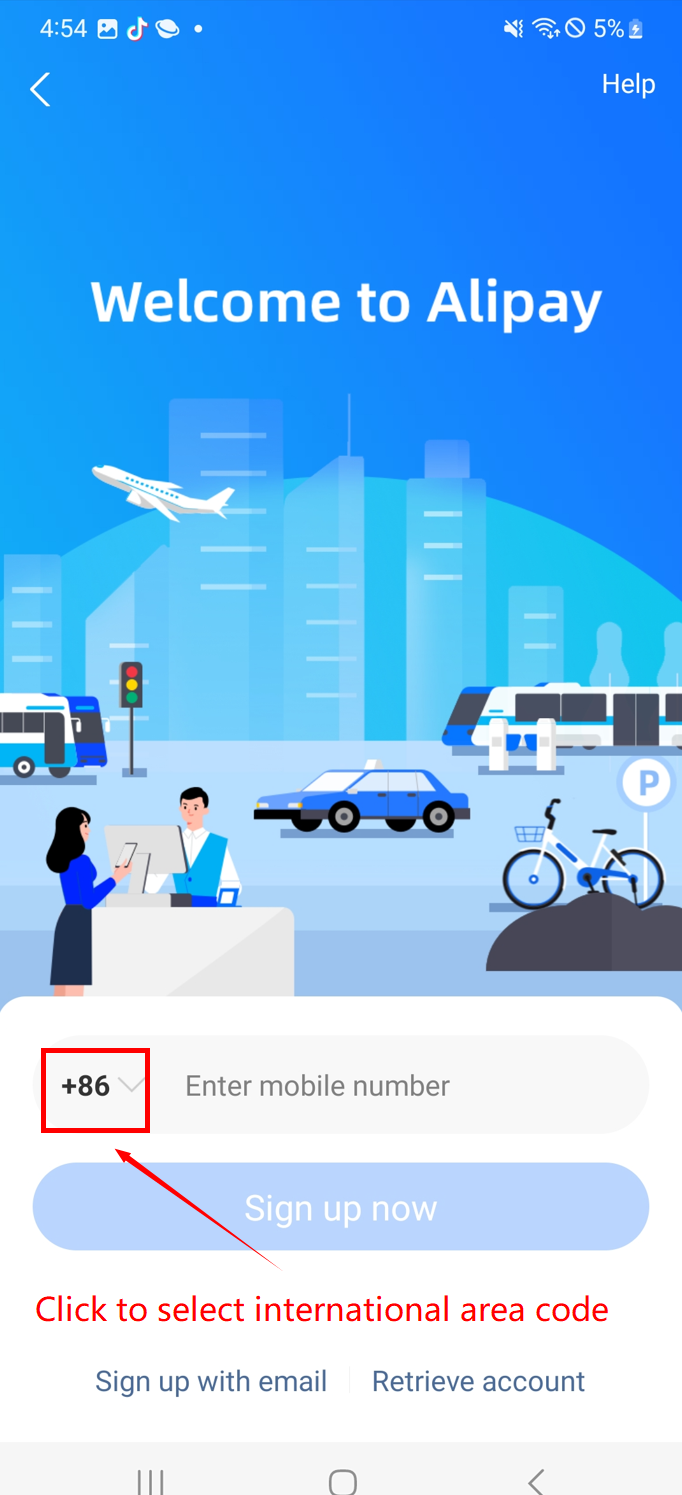
2.Tap on "Sign Up"
On the welcome page, find the 【Sign up】 button and tap on it to begin the registration process.
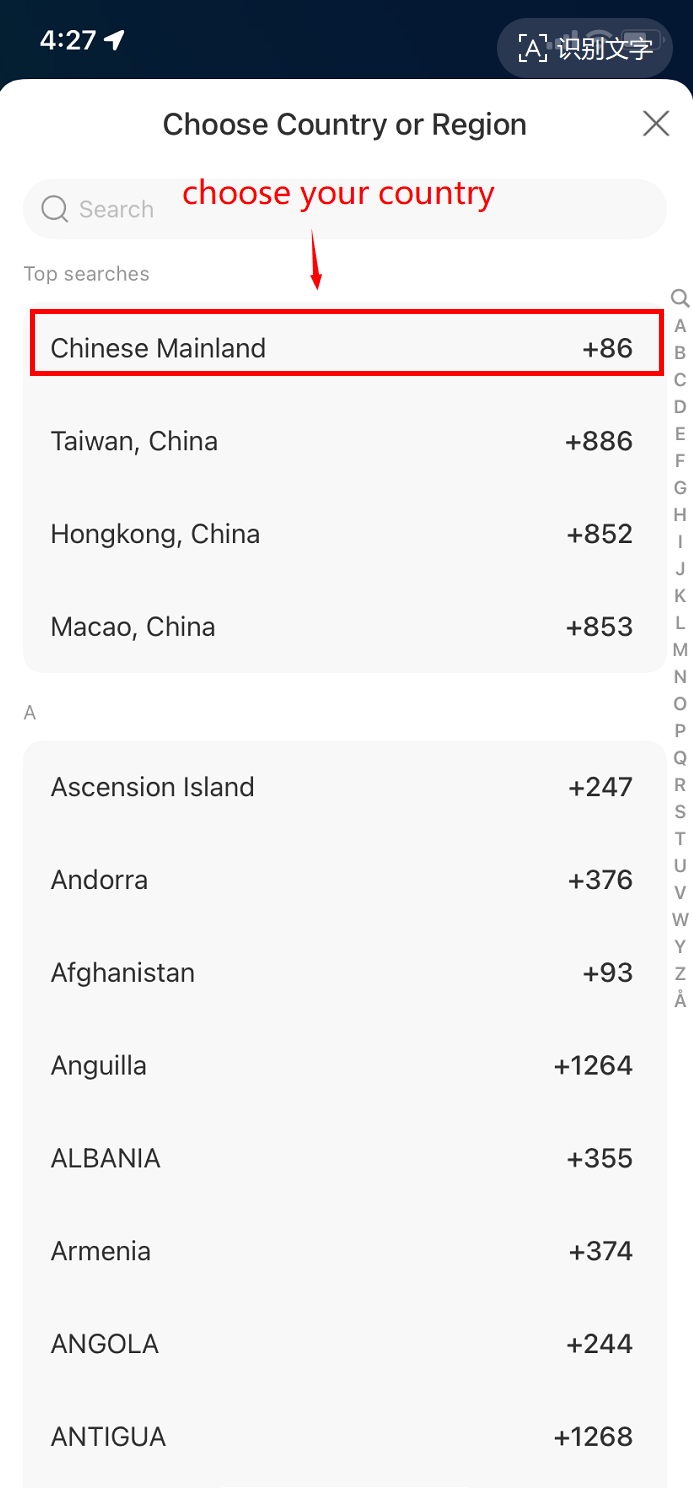
3.Select the Country Code
After tapping "Sign Up," you will be prompted to choose an international phone code. Tap on the country code section and select China’s international dialing code “+86.”
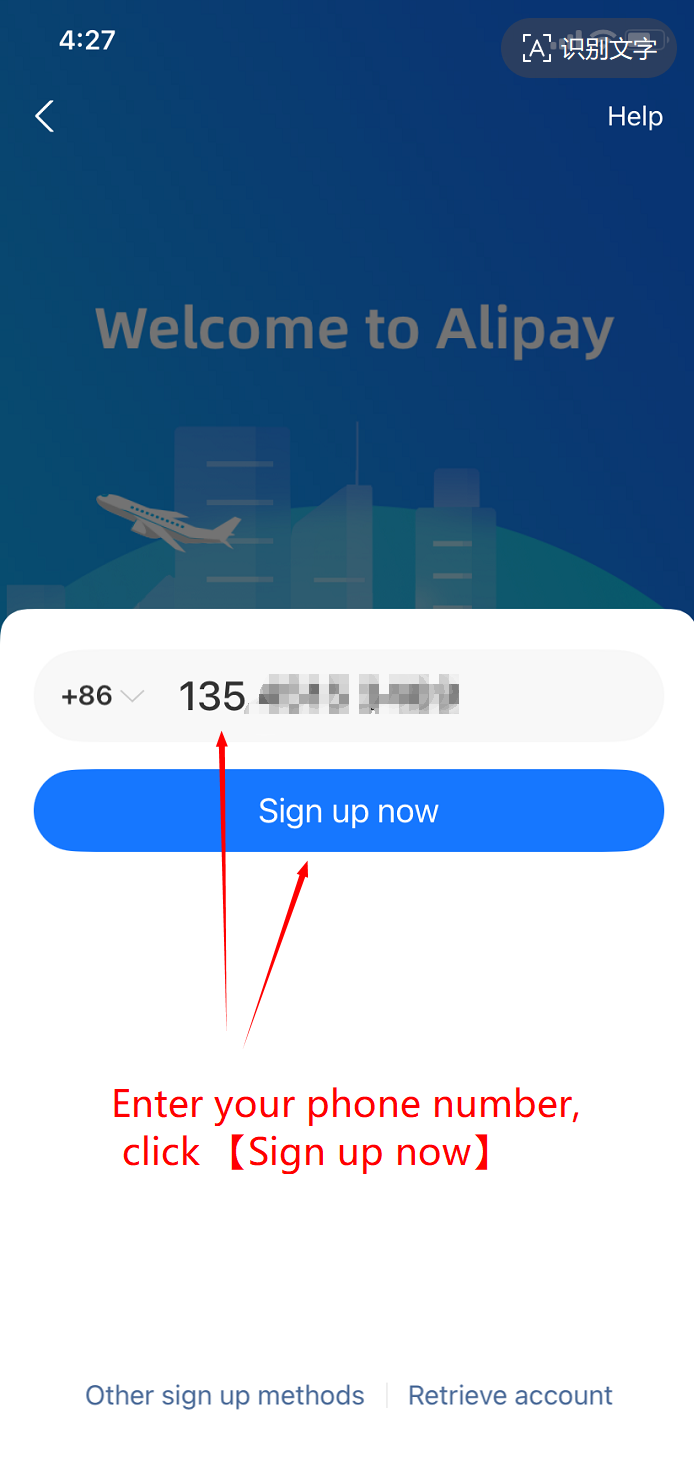
4.Enter Your Mobile Number
Once you've selected the correct country code, enter your mobile number. Make sure the number is correct.
5.Tap on "Sign Up Now"
After entering your mobile number, tap on the 【Sign Up Now】 button to proceed.
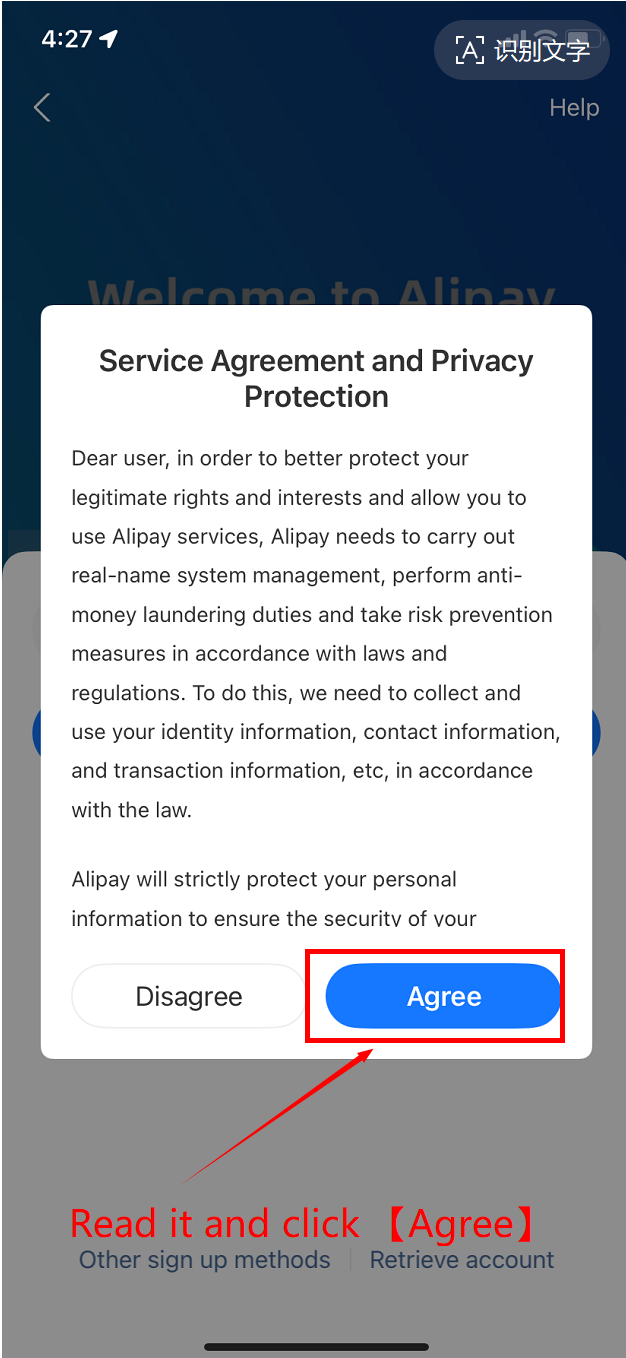
6.Agree to the Service Agreement
A window will pop up showing the 【Service Agreement and Privacy Protection】. Read the agreement, and if you agree, tap 【Agree】 to continue.
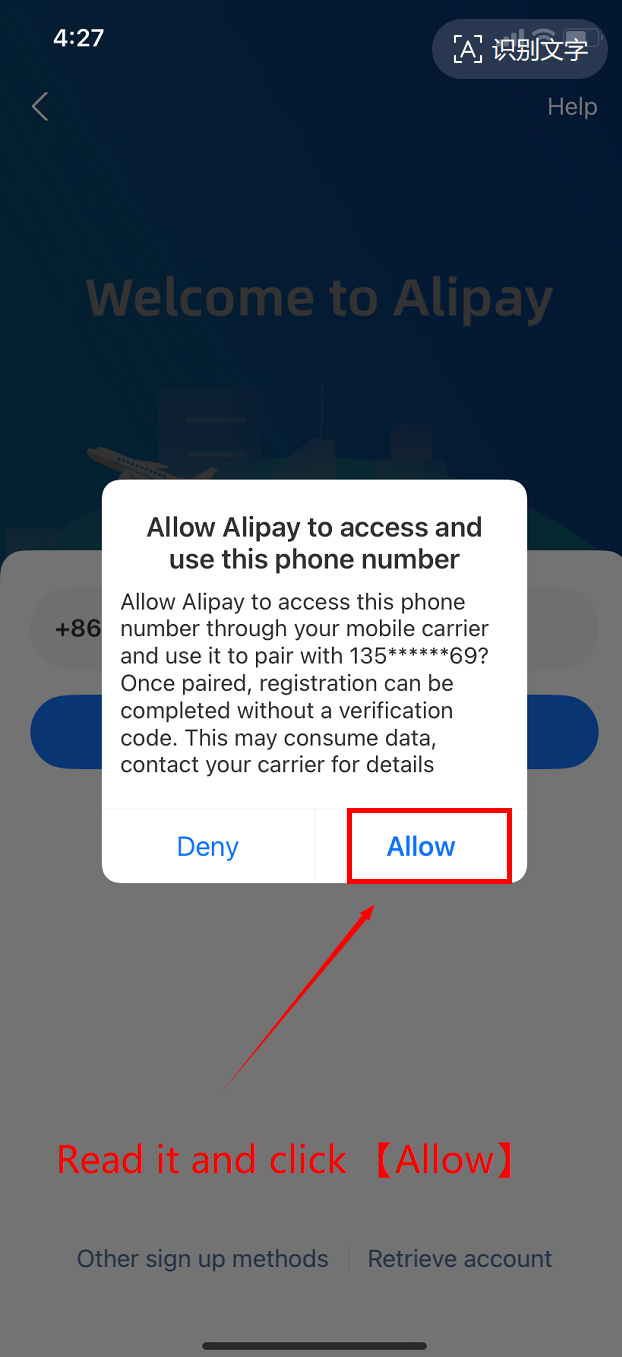
7.Allow Alipay to Use Your Phone Number
Next, you will need to allow Alipay to access and use your phone number. Tap 【Allow】 to grant permission. This is required for the verification process.
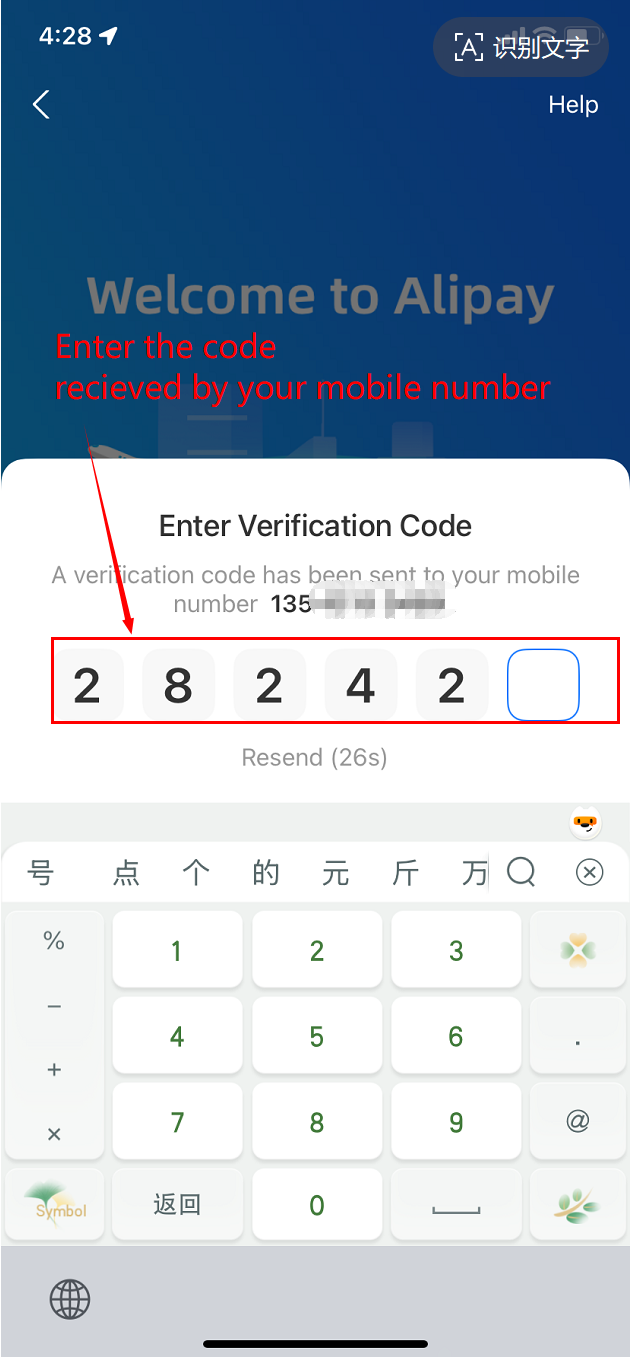
8.Enter the Verification Code
You will receive a verification code via SMS. Once you receive the code, enter it in the 【Enter Verification Code】 box to complete the verification.
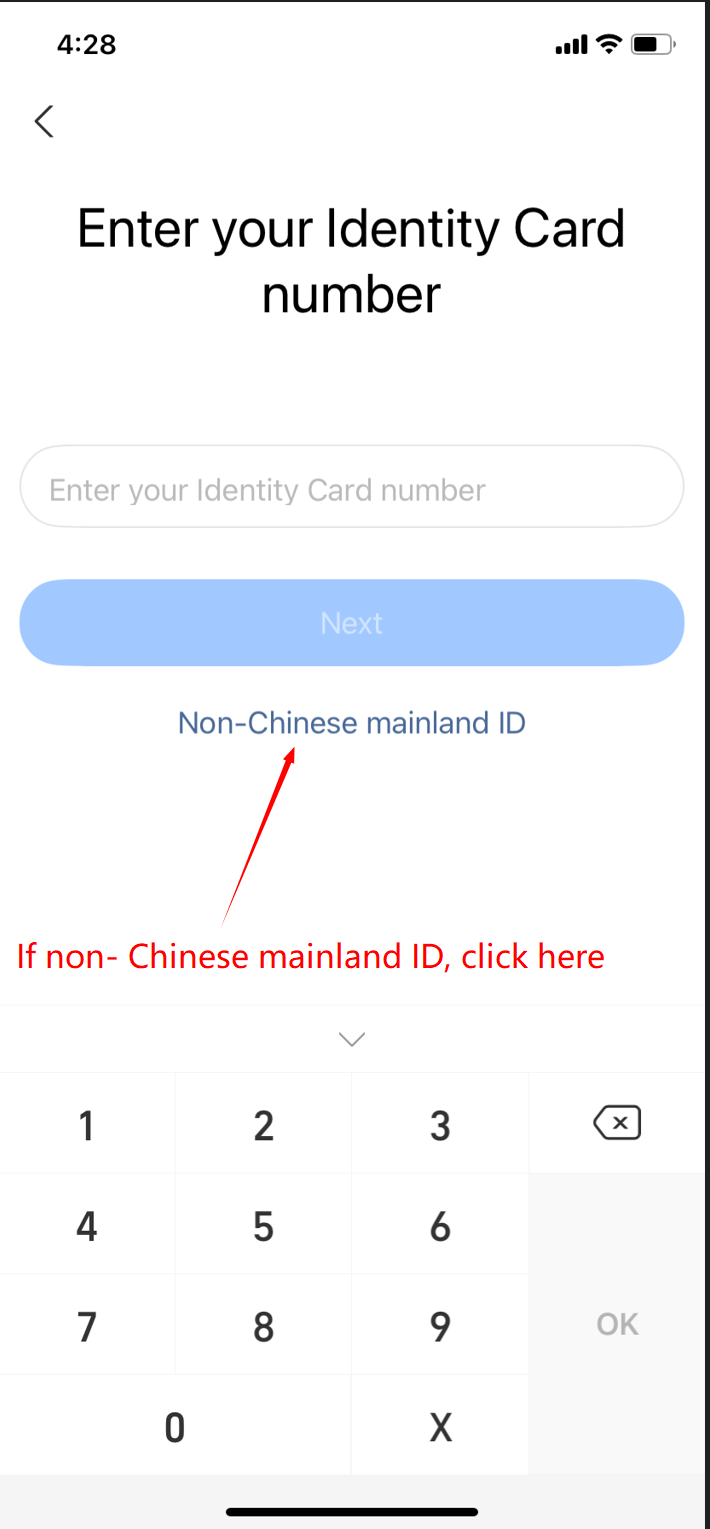
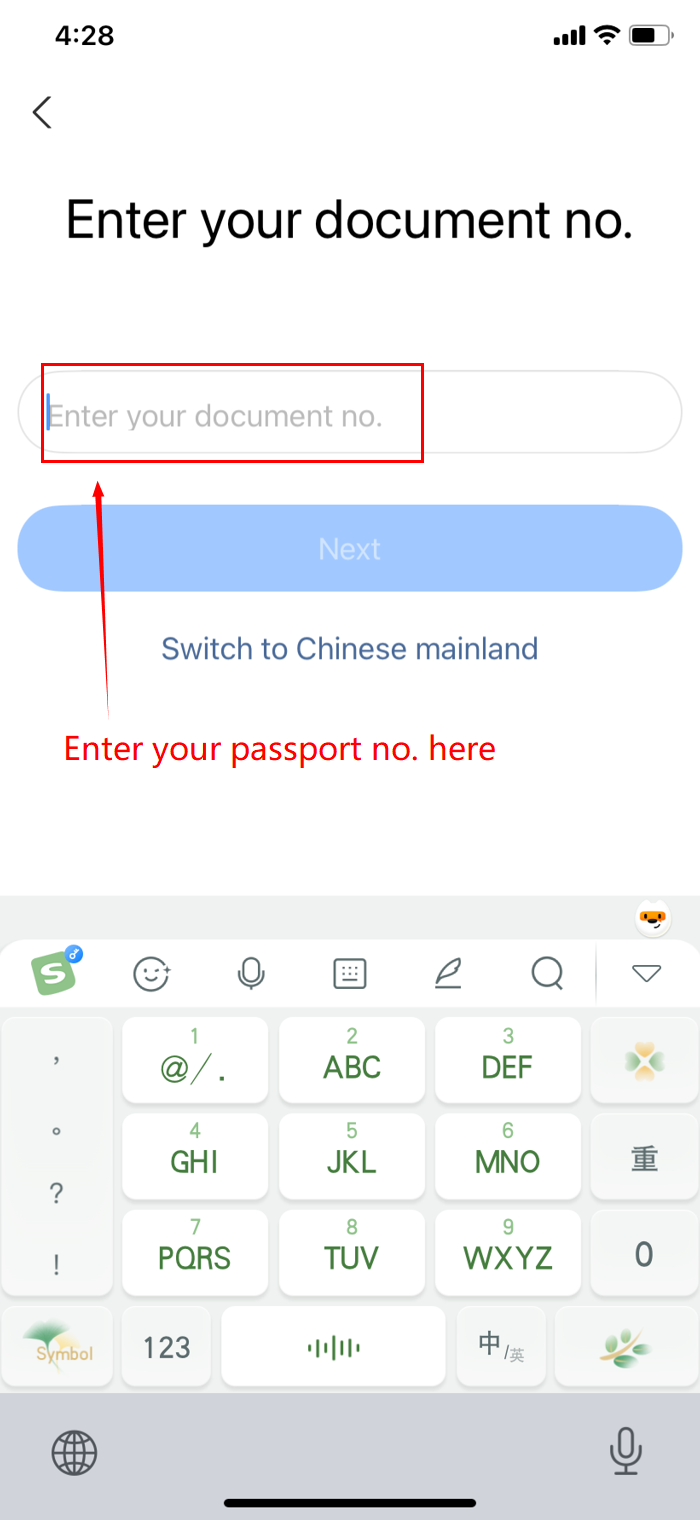
9.Provide Identity Information
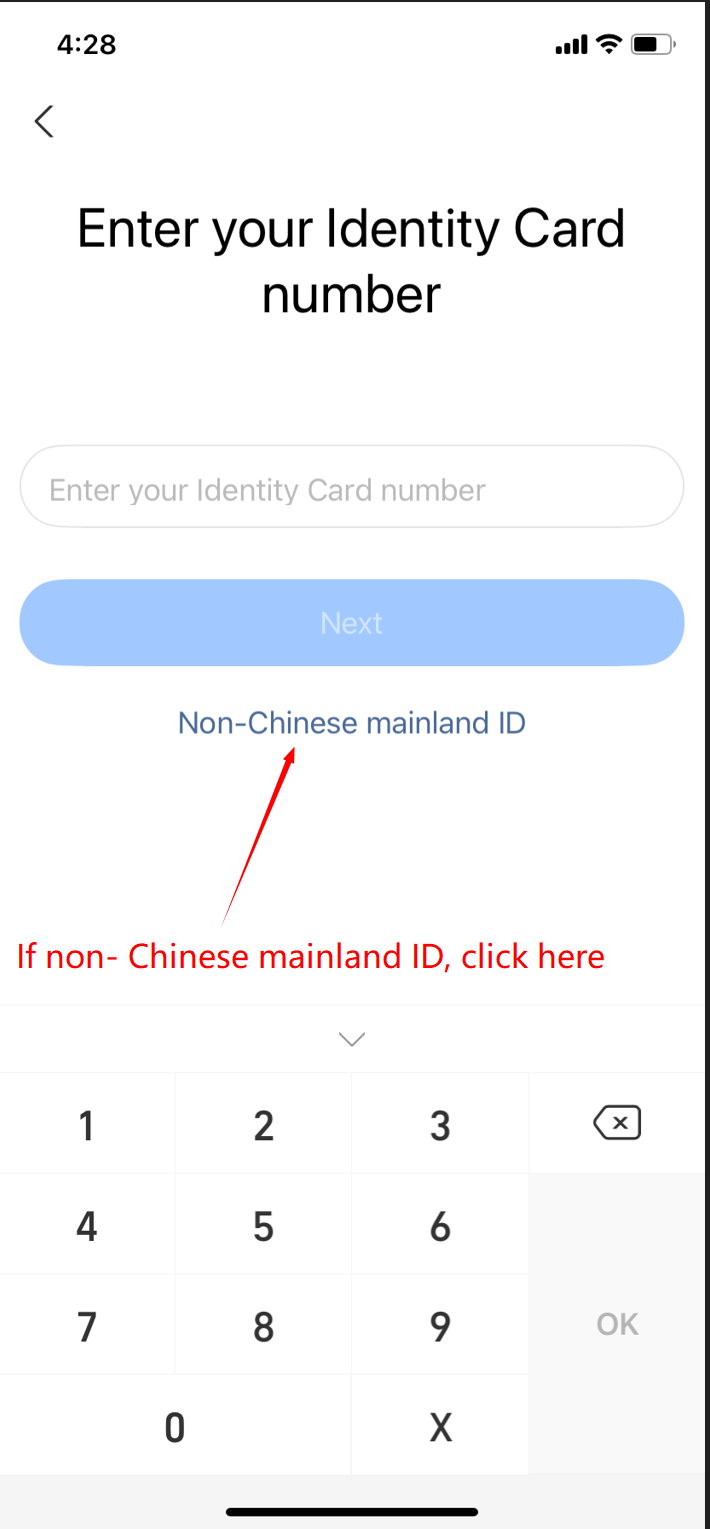
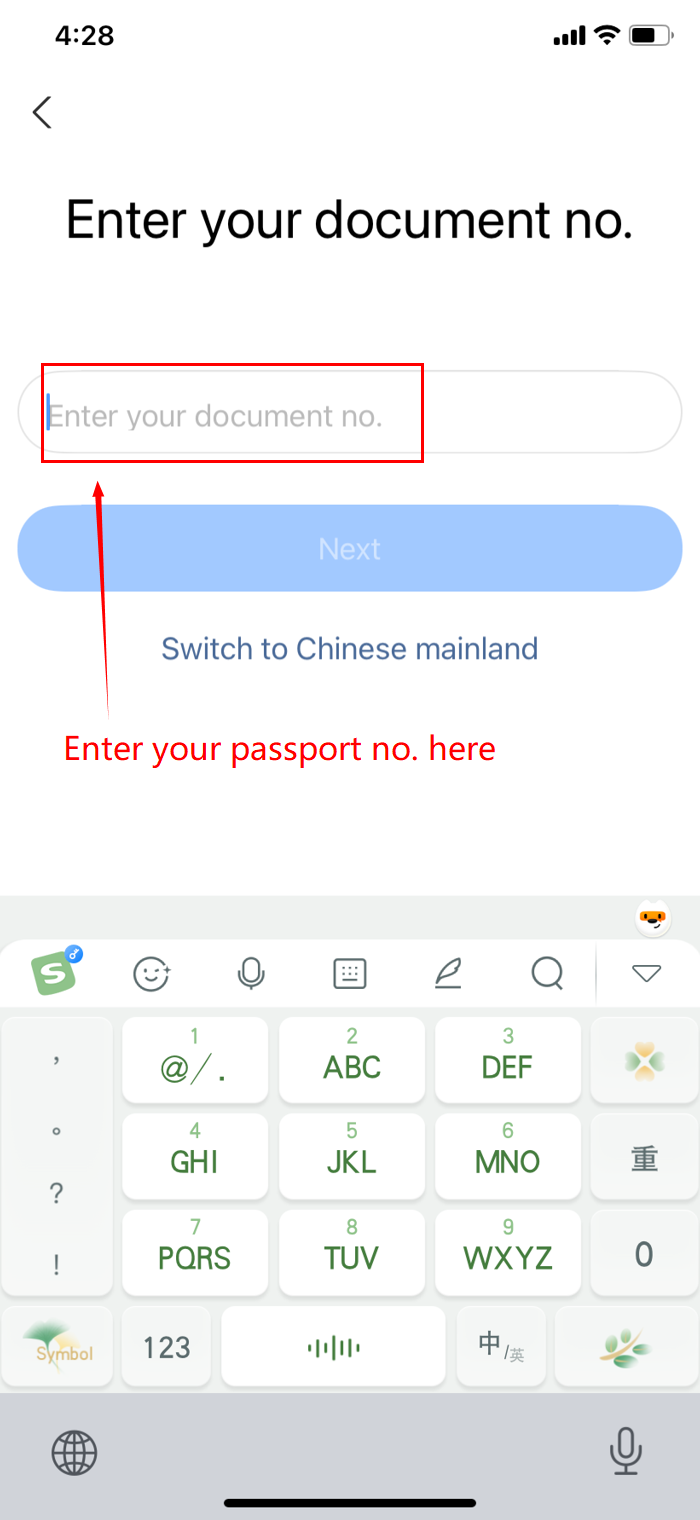
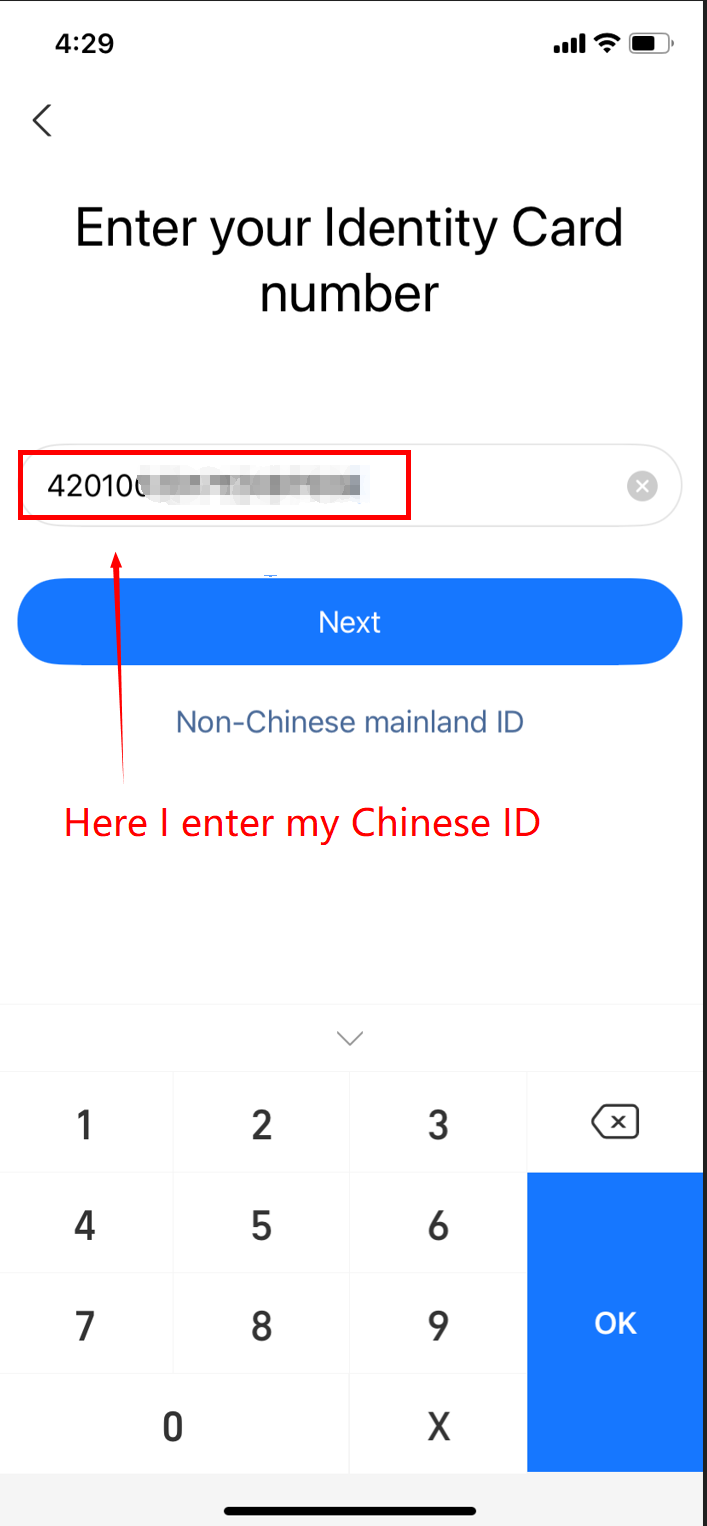
Next, the system will ask for your identity information. On the 【Identity Card】 page, you will need to enter your ID number. If you are a China-based user, enter your Chinese ID number. For international users, select the 【Non-Chinese mainland ID】 option and enter your passport number in the 【Document No.】 field.
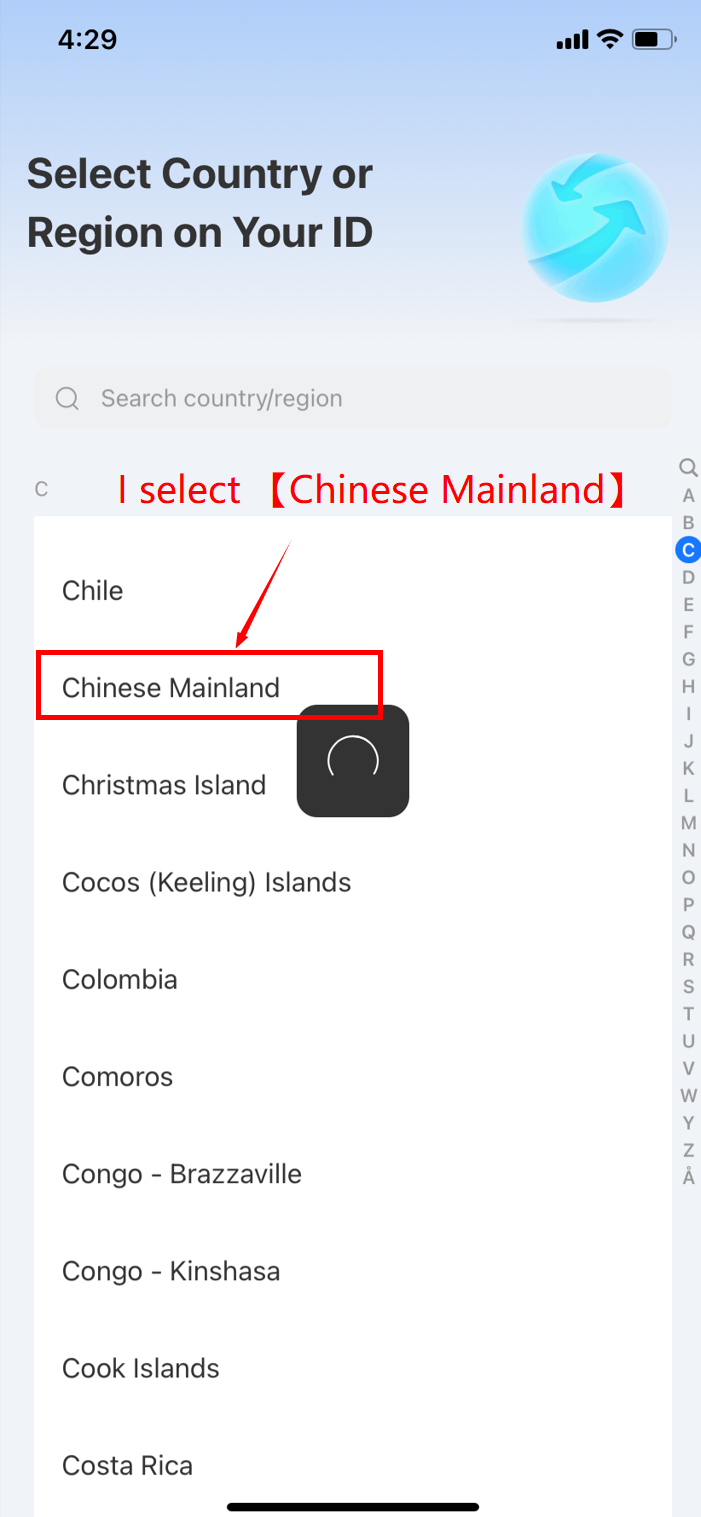
10.Choose Your Document’s Issuing Region
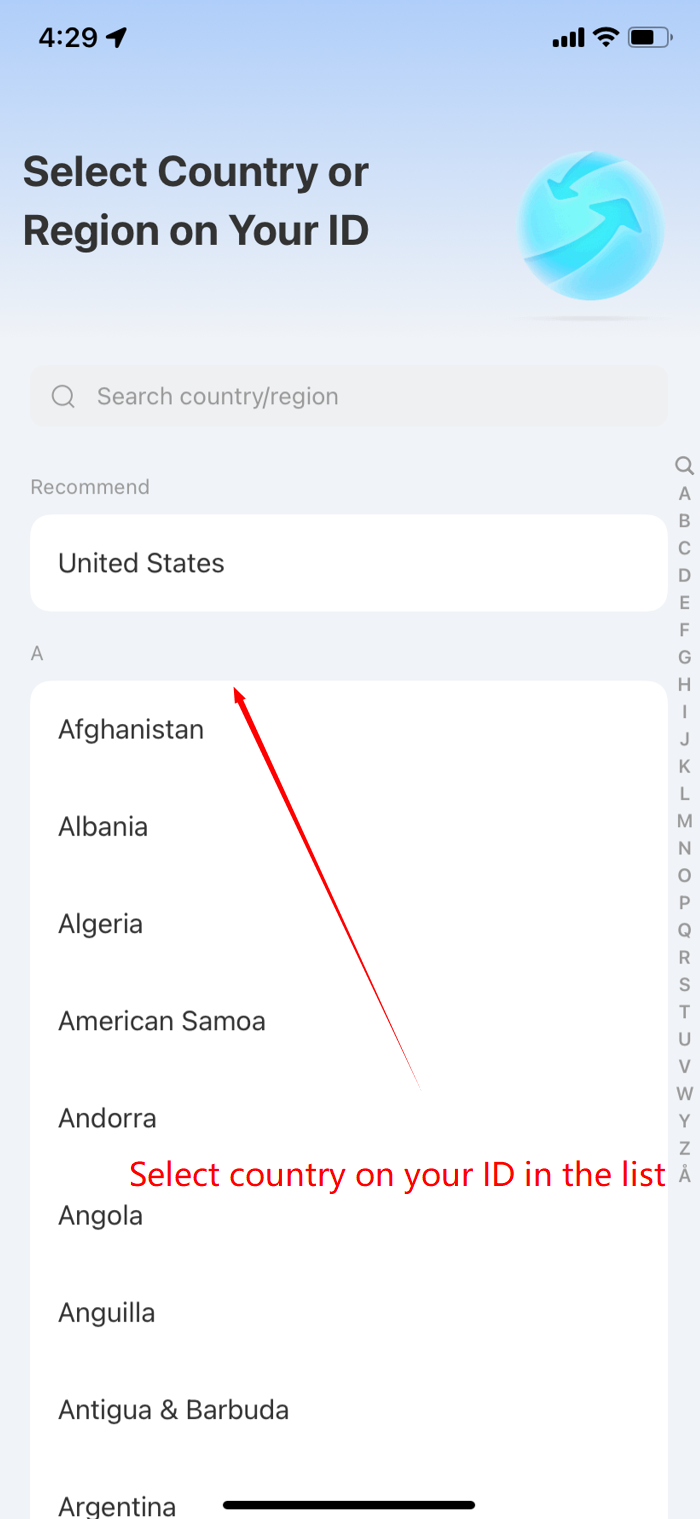
After entering your ID details, you will need to select the region or country where your document was issued. Choose the appropriate option from the dropdown menu and tap “Next.”
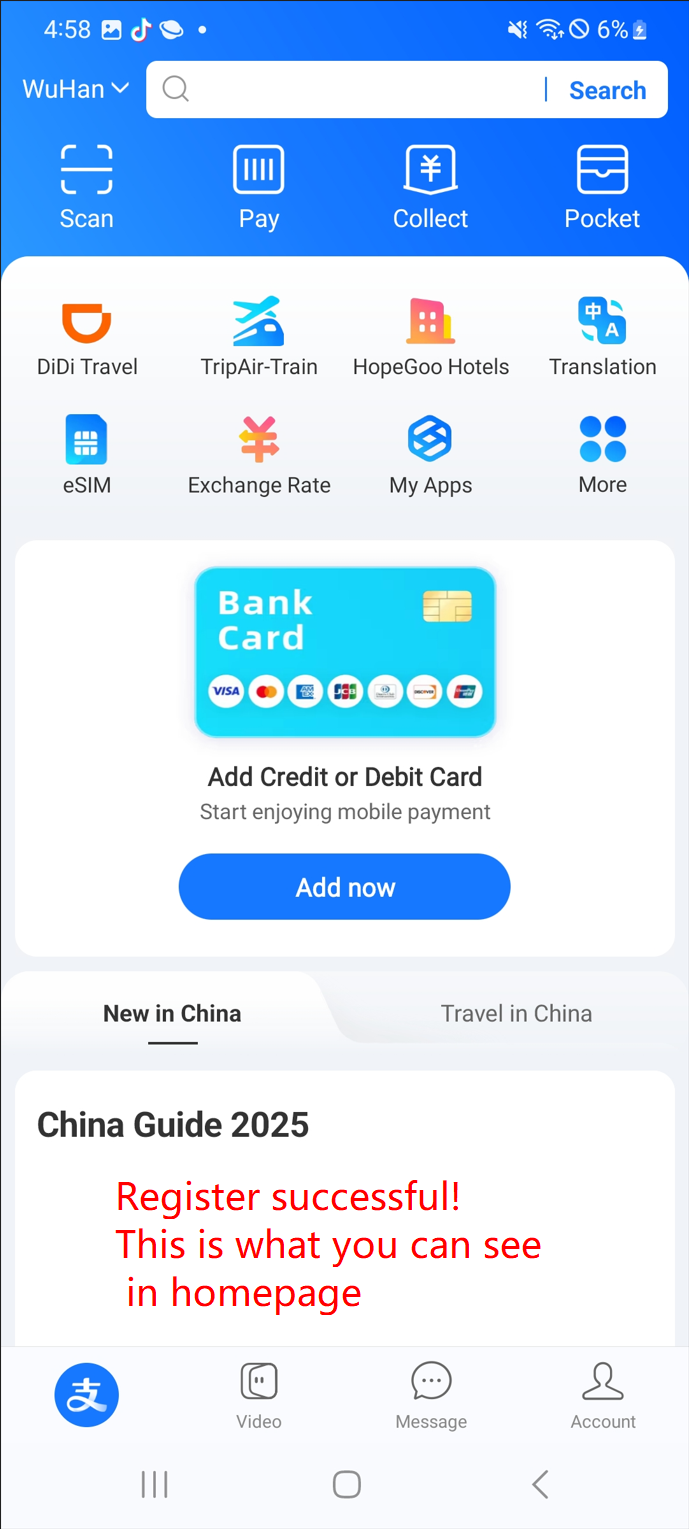
11.Complete the Registration
Congratulations! You have successfully registered for an Alipay account. You can now start using Alipay for basic functions.
What Happens After Registration?
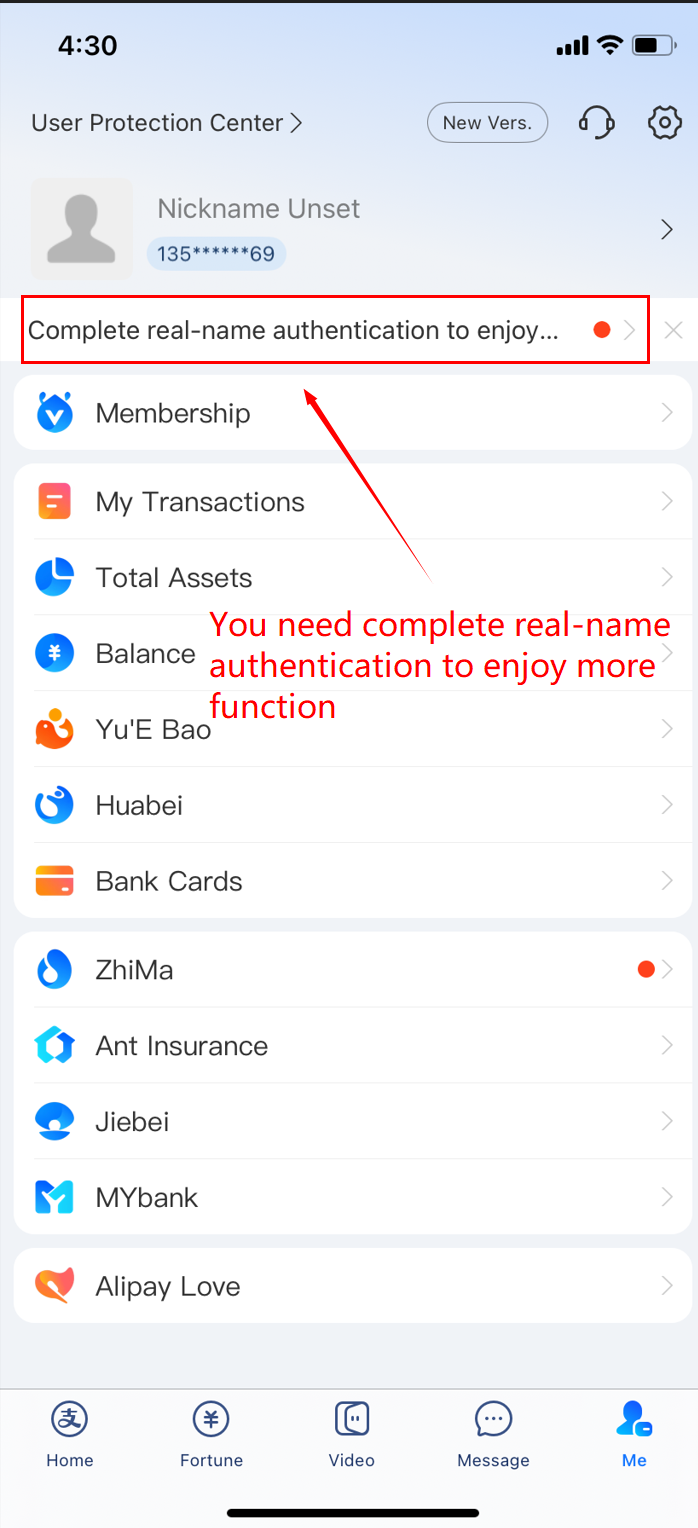
Once registered, you will be able to use Alipay for basic services such as making payments. However, some functions (such as opening transport services like subway or bus) will require real-name authentication. Real-name verification is necessary to unlock certain features and remove transaction limits.
You will need to complete the real-name authentication process by uploading additional documents (such as your passport or other ID). We will cover the details of this process in future articles.
Other Tips
- Language Settings: The international version of Alipay is fully in English, so you do not need to switch the language.
Summary
Registering for Alipay using your mobile number is a simple process that brings great convenience for your life in China. After registration, you can access basic functions like making payments and enjoying services. Don’t forget to complete the real-name authentication to unlock all of Alipay's features—more details on the authentication process will be covered in future articles.
【If you found this article helpful, feel free to like, share, and forward using the buttons on the right-side~】
Planning the rest of your trip?
Compare hotels and flights on Trip.com.