
How to go shopping TB
How To Go Shopping
Registration and Login
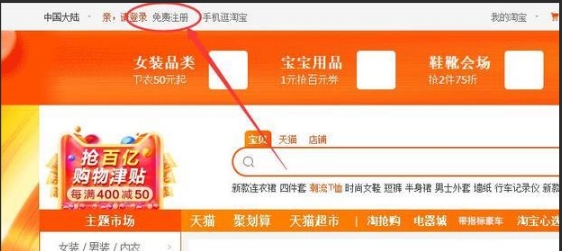
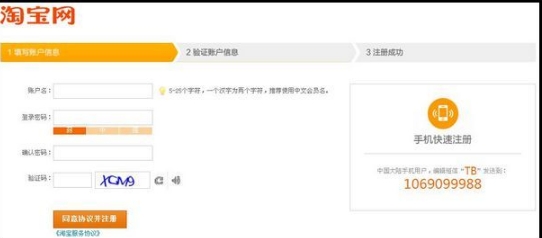
You can register a Taobao account with your mobile phone number. Open the Taobao app or the Taobao website, click on the "Register" button, and follow the prompts to enter your mobile phone number. After receiving the verification code, set your login password, and then your registration is completed.
Login
Once registered, you can use your mobile phone number and password to log in to your Taobao account. If you have already registered an Alipay account, you can also use it to log in to Taobao quickly.
Search Entrance & Filtering for Official Flagship Stores
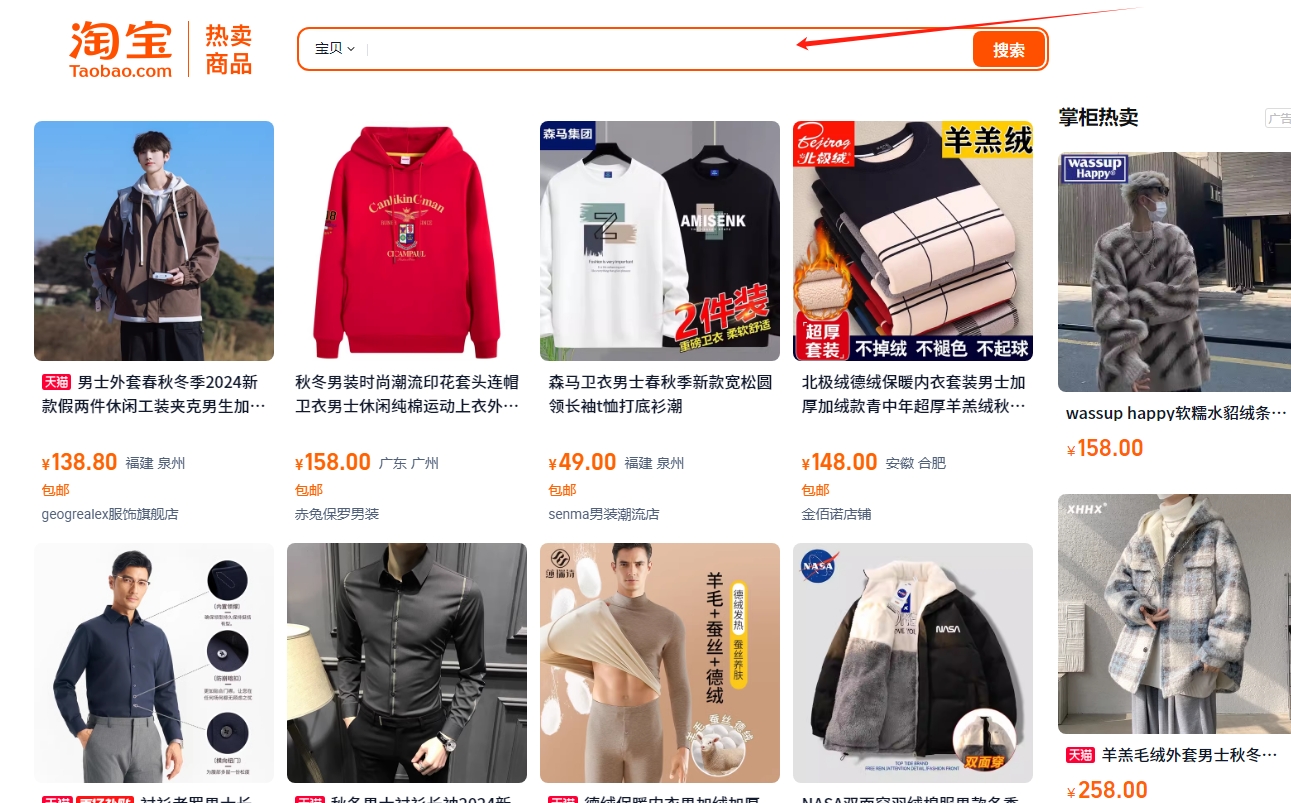
Enter the brand - name you want to buy in the search bar on the Taobao homepage. For example, if you want to buy Nike sports shoes, you can type "Nike sports shoes" or if it's a luxury brand like Louis Vuitton bags, you can type "LV bag". After the search results are displayed, give priority to goods marked with "Official Flagship Store". These stores are either directly operated by the brand or authorized by the brand official to operate, so the authenticity of the goods is relatively high. At the same time, you can also check the store's credit rating (such as crown, golden crown levels, etc.) and the store's dynamic ratings (including description - match, service attitude, logistics service and other rating items).
Selecting Goods
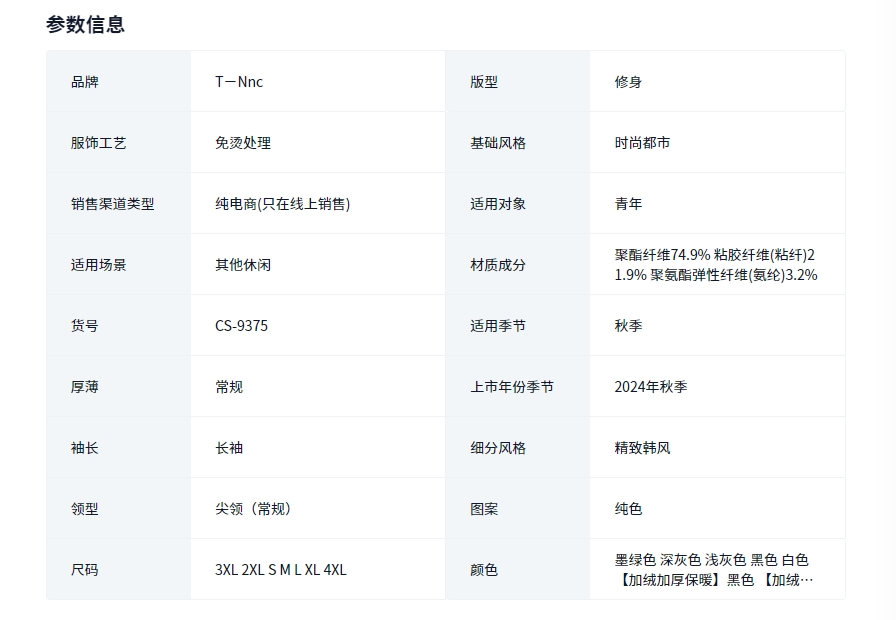
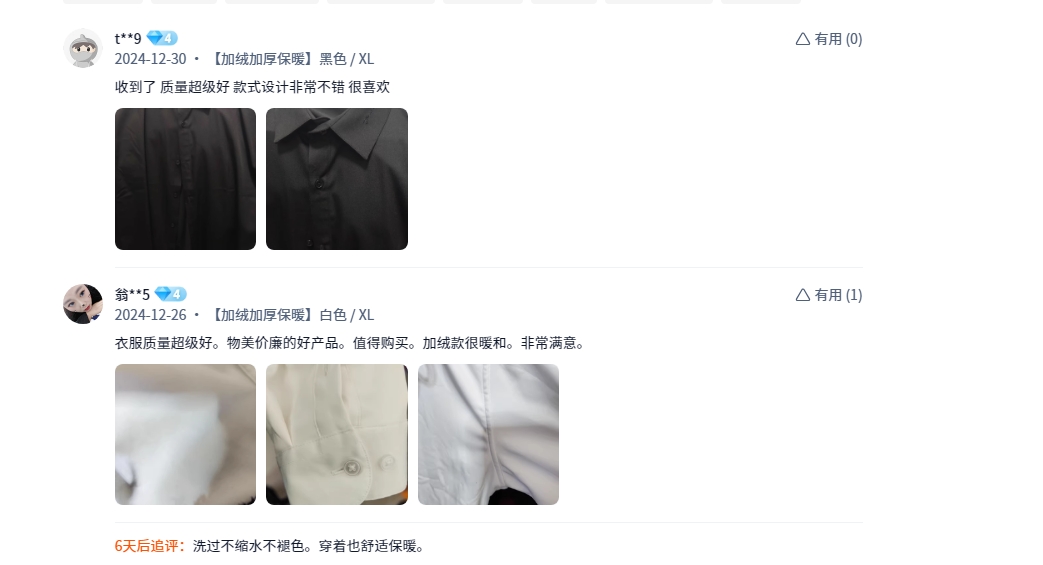
Enter the product page and carefully view the product pictures to ensure that the appearance of the product shown from multiple angles meets your expectations. Meanwhile, for brand - name products, the details page should introduce key information such as the material, origin, function, and size in detail. For example, brand - name clothing will indicate the fabric composition and washing instructions; brand - name electronic products will list detailed configuration parameters.It is very important to check the reviews of other buyers. First, look at the overall star - rating situation, and then carefully read some buyers' written comments to understand their feedback on product quality, size fit, color deviation, etc. The "Q & A" section is also a good place to get information. Here are various questions about the product raised by potential buyers and the answers from those who have already bought the product.
Confirming the Purchase&Payment Process
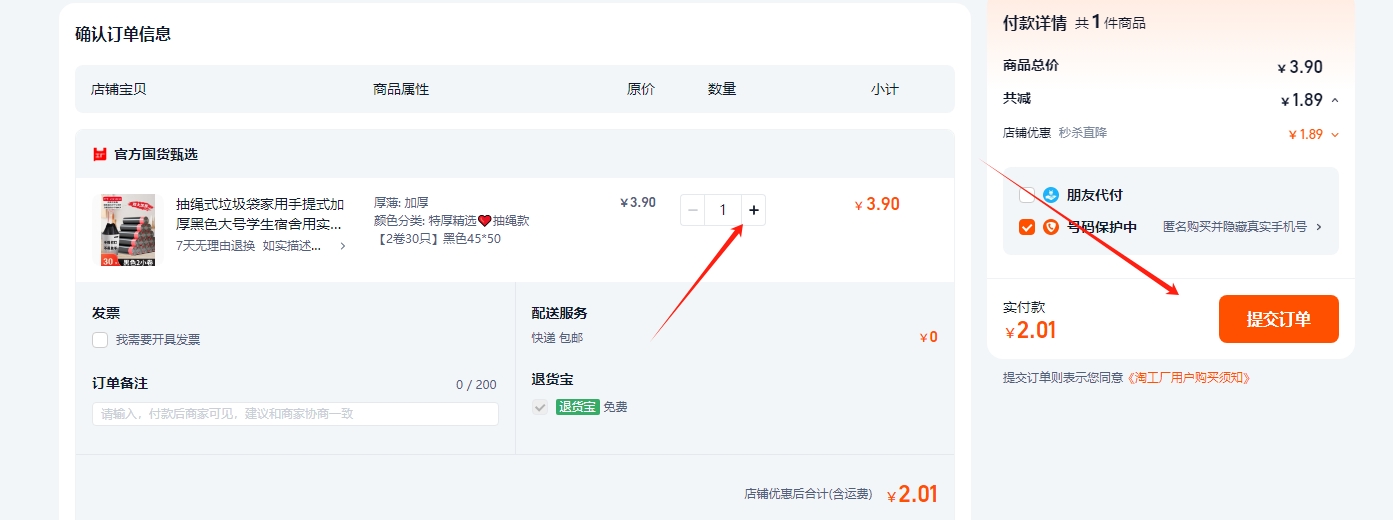
According to your own needs, select the product specifications, such as the size and color of brand - name shoes, the capacity of brand - name skin - care products, etc., and determine the quantity to be purchased. ?
If you still want to continue shopping for other items in this store or other stores, you can choose to add this product to the cart for convenient settlement later. If you only plan to buy this item, you can click "Buy Immediately". ?
Accurately fill in the recipient's name, contact phone number, and detailed receiving address, including province, city, district (county), street (township), and specific house number, etc., to ensure that the product can be delivered accurately. ?
Taobao provides various delivery methods, such as regular express delivery, SF Express (some stores may support additional payment for SF Express for faster delivery). You can choose the appropriate delivery method according to your own needs. ?
Taobao supports multiple payment methods, such as Alipay payment (you can use the balance or the bank card bound to Alipay to pay), bank card payment (enter the bank card number, cardholder's name, validity period, etc. to make payment), Huabei payment (similar to a credit card, you can use it to pay for the product within the limit and pay back the next month). Choose the payment method you are used to and convenient, and complete the payment operation according to the system prompts. ??
Waiting for Receiving and Confirming Goods
After successful payment, you can view the shipping status and logistics information of the product on the order page. Taobao will display the name of the express company and the logistics tracking number. You can track the package's transportation progress through the official website or mobile app of the express company. When you receive the product, check whether it is consistent with the description when you bought it and whether there are any damages. If everything is normal, you can click the "Confirm Receipt" button on the Taobao app or the Taobao website order page. At this time, the payment will be officially transferred to the seller. If you find any problems, you should communicate with the seller in a timely manner to resolve them. Do not easily confirm receipt.
Relevant Policies on Taobao
Title: Taobao Product Issues? If a Taobao product is non - genuine, you can complain & ask for a refund. Taobao may support & punish the seller if conditions are met?. For quality problems, you can apply for returns/exchanges within 7 - 15 days (depends on product & seller). Seller pays return freight usually?. Most products support 7 - day no - reason return (except special ones). Product should be intact though?.
Title: After - sales for Different Products? Different products have different after - sales time. E.g., electronics may have 1 - 2 - year warranty. Seller should repair/replace during this time?.
Title: Solving Disputes with Sellers? If there are disputes with sellers, first try to communicate. If that fails, use Taobao's complaint channels. Taobao customer service will handle it?.
Planning the rest of your trip?
Compare hotels and flights on Trip.com.