
A Complete Guide to Buy High - speed Rail Tickets in China
Everything You Need to Know About Buying High-Speed Rail Tickets in China: Online and Offline Methods, Tips, and Precautions for a Smooth Travel Experience.

1、Pre - purchase Preparations
Valid Documents
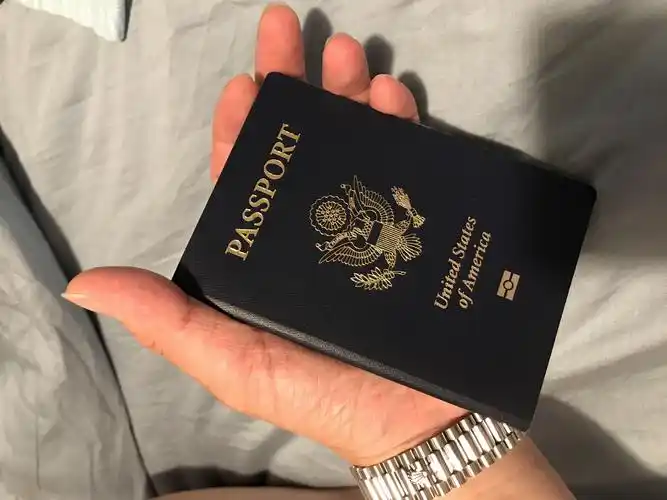
For foreigners, a valid identification document is required to buy high - speed rail tickets. The most commonly used one is a passport. Ensure that your passport is within the validity period and the information on it is clear and complete. During the ticket - buying process, whether online or offline, you need to accurately enter information such as the name and document number on the passport. These details must be consistent with those on the passport; otherwise, it may lead to a failed purchase or difficulties in boarding the train.
In addition to passports, foreigners holding a Foreigner's Permanent Residence Identity Card can also use this document to buy tickets. Both of these documents have the same validity when buying tickets and boarding the train, safeguarding your legitimate rights and interests.
Itinerary Planning
Before buying tickets, it is crucial to clarify your travel plan. Determine the departure and destination locations, as well as the specific travel date and approximate time. China's high - speed rail network is highly developed with numerous train services. The departure time, arrival time, and stops of different trains vary.
For example, there are dozens of high - speed trains running from Beijing to Shanghai every day. Some trains have more stops along the way, resulting in a relatively longer travel time; while some are direct trains or have fewer stops and are faster. You can choose a suitable train according to your schedule and needs.
At the same time, consider peak travel seasons. During long holidays in China, such as the Spring Festival and National Day, high - speed rail tickets are often in short supply. It is necessary to plan in advance and buy tickets as early as possible to avoid delaying your journey.
2、Online Ticket - buying Methods
The 12306 Official Website
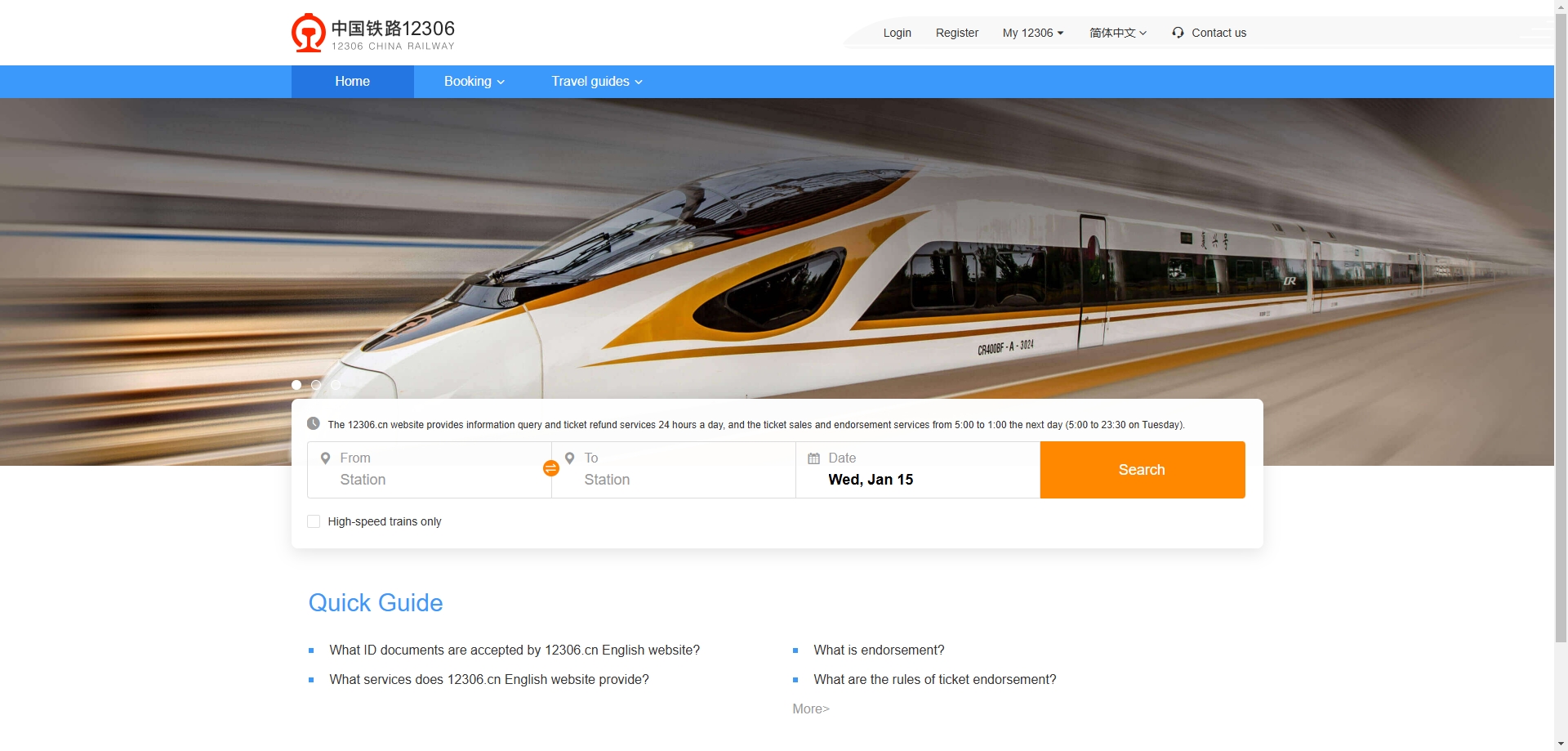
- Account Registration: Open your browser and visit the official website of China Railway 12306 (https://www.12306.cn/en/index.html). Click the "Register" button in the upper - right corner of the page to enter the registration page. During registration, you need to fill in information such as username, password, confirm password, mobile phone number, and email address. The username should be simple and easy to remember, and the password should be set complex enough to ensure account security. The mobile phone number is used to receive verification codes and order information, and the email address is convenient for password retrieval and other operations. In the "Document Type" option, select "Passport", and then accurately fill in the passport number, name, date of birth, etc. After filling in, click "Agree to the Agreement and Register". The system will send a verification code to the mobile phone you filled in. Enter the verification code to complete the registration.
- Login and Ticket - buying: After successful registration, return to the 12306 homepage. Click the "Login" button in the upper - right corner and enter the username and password you just registered to log in to your account. After logging in, in the "Ticket Booking" section on the homepage, select information such as the departure place, destination, and departure date, and then click the "Query" button. The system will list all trains that meet the conditions, including train numbers, departure times, arrival times, travel durations, seat types such as first - class seats, second - class seats, business - class seats, and the remaining number of tickets. You can choose a suitable train and seat type according to your needs and budget, and click the "Book" button.
- Filling in Passenger Information: After entering the order page, click the "Add" button in the "Passenger" section and fill in the passenger's name, document type (select Passport), document number, date of birth, etc. After confirming that the information is correct, click the "Submit Order" button.
- Order Payment: After the order is successfully submitted, the system will jump to the payment page. 12306 supports multiple payment methods, including China UnionPay, Alipay, and WeChat Pay. If you have a China UnionPay card, you can directly choose UnionPay payment and follow the prompts to enter the bank card number, password, etc. to complete the payment. If you don't have a UnionPay card, you can also choose Alipay or WeChat Pay. When using Alipay to pay, it will jump to the Alipay login page. Enter your Alipay account and password to make the payment. WeChat Pay requires scanning a QR code and using the mobile WeChat app to pay. After successful payment, the system will prompt that the ticket purchase is successful and generate an electronic ticket order information.
The 12306 Mobile APP
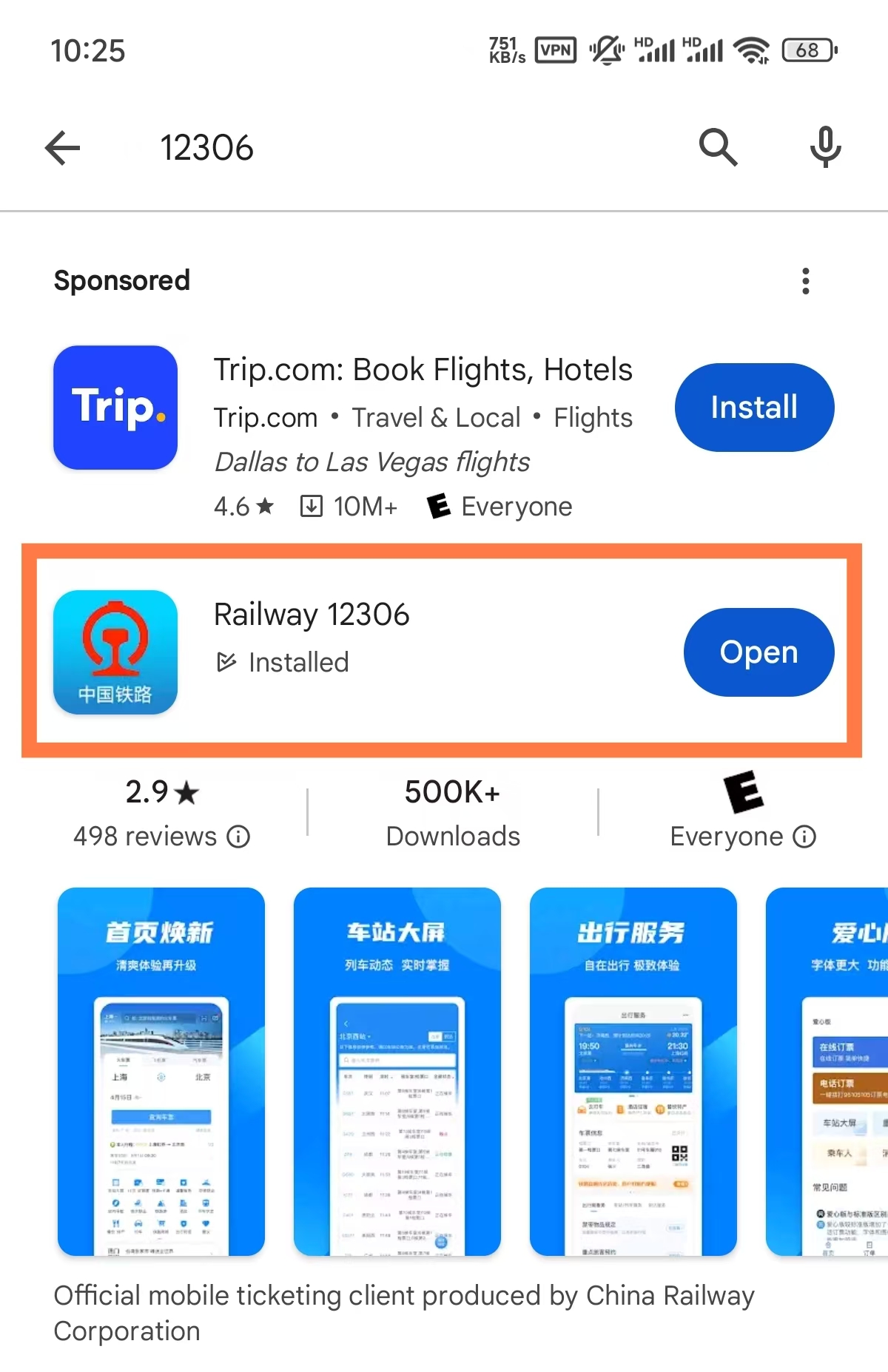
- Download and Installation: Search for "Railway 12306" in the mobile app store (such as the Apple App Store or Android app store). After finding the official app, click to download and install it. After installation, open the APP.
- Registration and Login: When you open the APP for the first time, it will prompt you to register an account. The registration process is similar to that of the 12306 official website. Click the "Register" button, fill in information such as username, password, mobile phone number, email address, select the document type as "Passport", and accurately fill in the passport number, name, date of birth, etc. After successful registration, use the registered username and password to log in to the APP.
- Ticket - buying Operation: After logging in, the APP homepage will display the "Ticket Booking" function. Click to enter, select the departure place, destination, departure date, etc., and then click the "Query Tickets" button. The system will display a list of trains that meet the conditions. Similar to the official website, you can choose a suitable ticket according to information such as train numbers, times, and seat types, and click the "Book" button. Next, fill in the passenger information. After confirming that it is correct, click "Submit Order".
- Order Payment: After the order is submitted, enter the payment page. The APP also supports multiple payment methods such as UnionPay, Alipay, and WeChat Pay. Follow the prompts to complete the payment operation. After successful payment, you can view the purchased ticket information in the "Order" page of the APP.
Third - party Travel Platforms
- Introduction to Common Platforms: In addition to the official 12306 channels, there are some third - party travel platforms where you can also buy high - speed rail tickets, such as trip, Qunar, and Fliggy. These platforms are relatively more convenient to operate and may offer some additional services and discounts.
- Registration and Login: Taking Ctrip as an example, download and install the Ctrip APP from the mobile app store. After opening the APP, click "My" in the lower - right corner to enter the personal center page. Click the "Login / Register" button. You can choose to register with a mobile phone number or directly log in with third - party accounts such as WeChat or QQ.
- Searching for High - speed Rail Tickets: After logging in, in the search bar on the APP homepage, select the "Train Tickets" option, and then enter information such as the departure place, destination, and departure date. Click the "Search" button. The system will display a list of relevant trains, including high - speed trains, bullet trains, and ordinary trains. You can use the filtering function to only view high - speed train services.
- Selecting Trains and Seat Types: In the train list, select a suitable high - speed train and seat type according to your needs. Click on the train number to enter the details page, where you can view more detailed train information, such as stops, departure time, arrival time, etc. After confirmation, click the "Book" button.
- Filling in Passenger Information: On the booking page, fill in the passenger's name, document type (select Passport), document number, etc. Some platforms also offer value - added services, such as purchasing insurance, choosing seats, etc. You can make selections according to your needs.
- Order Payment: After completing the information filling, click "Submit Order", and then select a suitable payment method on the payment page to make the payment. After successful payment, the order information will be saved in the platform's order center, and you will also receive a ticket - buying success notification.
3、Offline Ticket - buying Methods
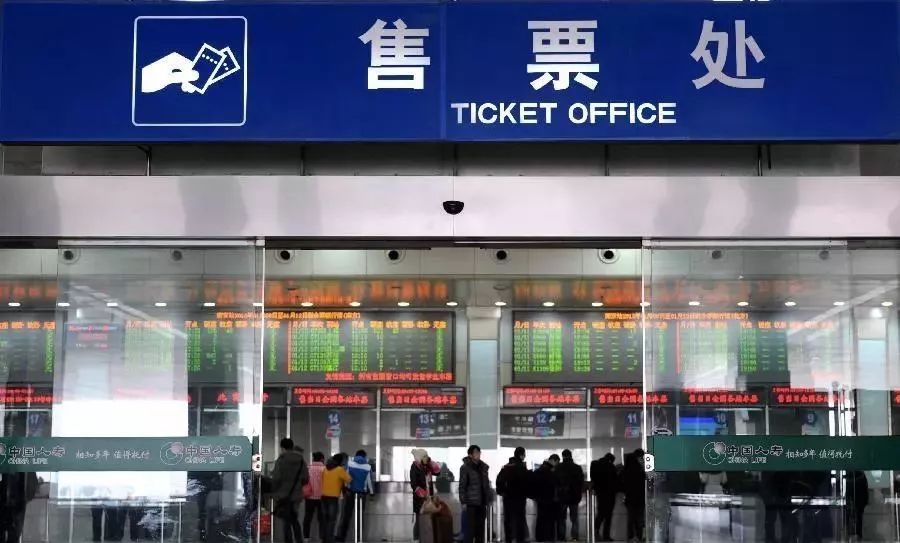
The Train Station Ticket Window
- Going to the Train Station: Carry a valid passport and go to the train station of the departure place. In China, each train station has clear signs and guideposts to help you easily find the ticket - selling area.
- Queuing for Tickets: After arriving at the ticket - window area, find the queue and wait in line in order. During the queuing process, you can prepare the ticket information in advance, including the departure place, destination, departure date, train number, seat type, etc., so as to quickly and accurately inform the ticket seller.
- Communicating with the Ticket Seller: When it's your turn to buy tickets, hand your passport to the ticket seller and clearly state the ticket information you want to buy. For example, "I want to buy a high - speed rail ticket from Beijing to Shanghai for tomorrow, one second - class seat." The ticket seller will check the ticket availability in the system according to the information you provided and inform you whether there are tickets and the ticket price. If there are tickets you need, the ticket seller will issue the ticket for you.
- Paying for the Tickets: After getting the ticket, make the payment according to the ticket price informed by the ticket seller. The train station ticket window supports multiple payment methods, including cash, bank cards, Alipay, and WeChat Pay. If you use cash payment, directly hand the full - amount cash to the ticket seller. When using a bank card, insert the bank card into the card - swiping device at the ticket window and follow the prompts to enter the password to complete the payment. For Alipay and WeChat Pay, you need to scan the QR code provided at the ticket window and complete the payment operation on your mobile phone. After successful payment, the ticket seller will hand you the ticket and the change (if any).
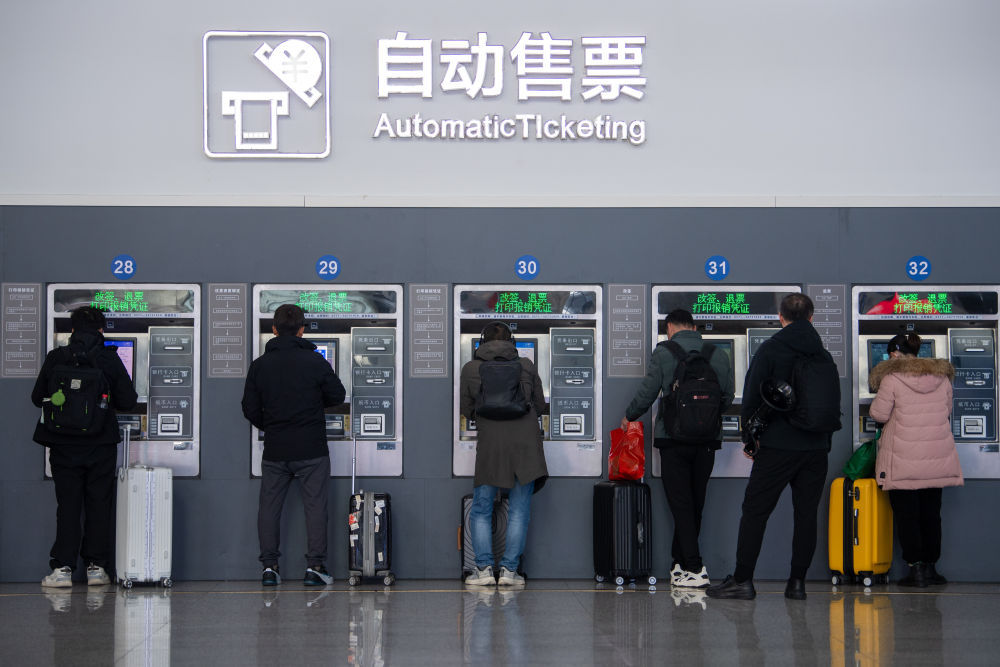
The Train Station Automatic Ticket Vending Machine
- Finding the Automatic Ticket Vending Machine: In the train station, the automatic ticket vending machines are usually located in prominent positions in the ticket hall and are clearly marked. The automatic ticket vending machines are generally divided into two colors, blue and yellow. The blue vending machines are mainly used to sell tickets departing from the local area, and the yellow vending machines can sell tickets across the country.
- Operating the Vending Machine: Click the "Buy Tickets" button on the screen of the automatic ticket vending machine to enter the ticket - buying interface. Select the departure place, destination, and departure date. You can directly click the city name on the touch - screen or use the pinyin search function to find the city. After selection, click the "Query" button.
- Selecting Trains and Seat Types: The screen will display a list of trains that meet the conditions. The departure time, arrival time, travel duration, seat types, and ticket prices of each train are clear at a glance. Use your finger to click the train you want to buy, and then select the seat type, such as first - class seat, second - class seat, etc. After confirmation, click the "OK" button.
- Entering Passenger Information: In the pop - up page, select the document type as "Passport", and then use the on - screen keyboard to enter the name, document number, etc. on the passport. After the information is entered, click the "Confirm" button.
- Paying for the Tickets: The automatic ticket vending machine supports multiple payment methods, including cash, bank cards, Alipay, and WeChat Pay. If using cash payment, put the banknotes into the cash inlet of the vending machine, and the machine will automatically recognize and give change. When using a bank card, insert the bank card into the card slot and follow the on - screen prompts to enter the password to complete the payment. For Alipay and WeChat Pay, open the corresponding payment app on your mobile phone, scan the QR code on the vending machine screen, and then confirm the payment amount and complete the payment on your mobile phone. After successful payment, the vending machine will print the ticket, and you can take the ticket from the ticket - issuing port.
Ticket Agents
- Finding Ticket Agents: In Chinese cities, in addition to train stations, there are many train ticket agents. You can search for "train ticket agents" through map applications (such as Baidu Map, Gaode Map), and the map will show the location information of nearby agents. Ticket agents generally hang a sign of "China Railway Train Ticket Agent" at the door, which is relatively easy to identify.
- Ticket - buying Process: After going to the ticket agent, enter the store, hand your passport to the staff, and tell them the ticket information you want to buy, including the departure place, destination, departure date, train number, seat type, etc. The staff will check the ticket availability in the system and issue the ticket for you. The payment methods at ticket agents are similar to those at train station ticket windows, supporting cash, bank cards, Alipay, and WeChat Pay. It should be noted that ticket agents may charge a certain handling fee, usually about 5 yuan per ticket.
4、Precautions for Ticket Purchase
Purchase Tickets in Advance
High - speed rail tickets in China are highly popular, especially during holidays and peak tourist seasons when the supply often fails to meet the demand. Therefore, it is recommended that you plan your itinerary in advance and purchase high - speed rail tickets as early as possible. Generally, the official 12306 website and mobile APP start selling tickets 30 days in advance. The pre - sale time of third - party travel platforms may vary, but they also sell tickets in advance for a certain period. During peak travel seasons, it is relatively safe to buy tickets 1 - 2 weeks in advance, which can ensure that you can get your desired train number and seat class.
For example, the Spring Festival is a peak travel period in China. Many people choose to take the high - speed rail to go home for the New Year or travel. If you plan to travel by high - speed rail during the Spring Festival, it is advisable to start paying attention to ticket information about a month in advance and purchase tickets as soon as the pre - sale period begins.
Ticket Refund, Modification and Change
Refund: If for some reason you are unable to take the purchased high - speed rail train, you can handle the refund procedure within the specified time. For tickets purchased on the 12306 official website or mobile APP, if it is more than 30 minutes before departure, you can directly handle the refund online. If it is within 30 minutes before departure, you need to go to the ticket window at the train station to handle the refund. When refunding, a certain refund fee will be charged according to the refund time. For instance, if you refund 8 days (inclusive) or more before departure, no refund fee will be charged; if you refund more than 48 hours but less than 8 days before departure, a refund fee of 5% of the ticket price will be charged; if you refund more than 24 hours but less than 48 hours before departure, a refund fee of 10% of the ticket price will be charged; if you refund less than 24 hours before departure, a refund fee of 20% of the ticket price will be charged.
Modification: If you need to change the travel date, train number or seat class, you can handle the modification procedure. For tickets purchased on the 12306 official website or mobile APP, if it is more than 48 hours before departure, you can modify to other trains within the pre - sale period. If it is within 48 hours before departure, you can modify to other trains before departure, or you can also modify to other trains from the departure time to 24:00 on the ticket - date, but no modification to the date after the ticket - date will be handled. After departure, passengers can still modify to other trains on the same day, but only at the departure station indicated on the ticket. If the ticket price of the modified train is higher than the original ticket, the difference will be collected; if it is lower, the difference will be refunded. Modification is only allowed once, and no modification fee is charged.
Change of Arrival Station: 12306 also provides the service of changing the arrival station. That is, passengers can handle the change - of - arrival - station procedure through the 12306 official website or mobile APP within the ticket pre - sale period and more than 48 hours before departure. The change of arrival station is only allowed once, and no modification or refund can be handled. When handling the change of arrival station, if the ticket price of the new arrival station is higher than the original ticket, the difference will be collected; if it is lower, the difference will be refunded.
Regulations on Children's Tickets
If you are traveling with a child on the high - speed rail, you need to purchase corresponding tickets according to the child's height and age. Children under 1.2 meters in height who do not occupy a separate seat can travel for free, but an adult can only bring one free child. Children with a height of 1.2 - 1.5 meters need to buy children's tickets, and the price of a children's ticket is half of the adult ticket price. Children over 1.5 meters in height need to buy full - price tickets. The way to purchase children's tickets is the same as that for adult tickets. You can use the child's own identity document to buy tickets, or use the identity document of an accompanying adult.
For example, if you are traveling by high - speed rail with a child who is 1.3 meters tall, you need to buy a children's ticket for the child when purchasing tickets. When filling in the passenger information, select the child's document type (such as a passport or household registration booklet) and accurately fill in the document number, name, etc.
Handling Special Situations
Lost Tickets: If you unfortunately lose your ticket before boarding, don't panic. You can go to the ticket window at the train station to handle the loss - reporting and re - issuance procedure more than 20 minutes before departure. When handling this, you need to provide the valid identification document used for ticket purchase. The staff will verify your ticket - purchase information and re - print a ticket for you. During the journey, the train staff will conduct inspections. After arriving at the station, you need to go to the ticket - refund window at the station within 24 hours to handle the refund procedure for the re - issued ticket, and the station will charge a 2 - yuan handling fee.
Lost Identification Documents: If you accidentally lose your valid identification document such as a passport during the ticket - purchase or boarding process, you should immediately report it to the station staff or the railway public security department. The railway public security department will issue a temporary identity certificate for you according to your situation. When applying for a temporary identity certificate, you need to provide your name, gender, date of birth, place of origin, valid identification document number, etc. The railway public security department will verify the information through relevant systems. After verification, a temporary identity certificate will be issued for you. The temporary identity certificate is only for your ticket - purchase and boarding use, and its validity period is generally 1 day.
Try to book a train:
Planning the rest of your trip?
Compare hotels and flights on Trip.com.